Course creators often start on a hosted, all-in-one course platform because it’s the fastest way to launch. It handles hosting, payments, and delivery with almost no setup. But as a course business grows, the economics and flexibility start working against it — recurring per-student fees, limited customization, and no real ownership of the data or the platform itself. That’s usually the point where a move to a self-hosted WordPress LMS starts to make sense.
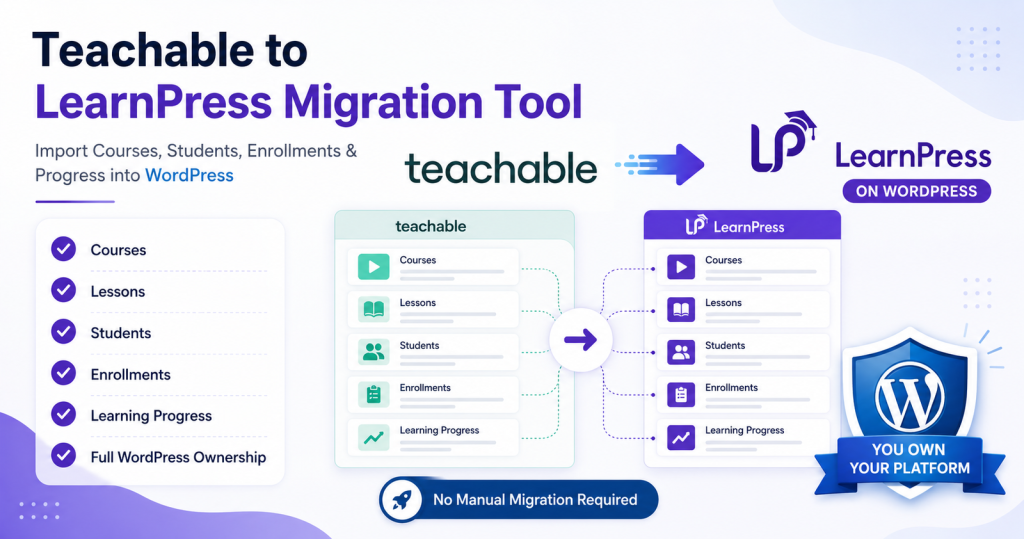
Moving the course content itself looks simple on paper — export, import, done. In practice, a real migration has to carry over courses, lessons, students, and every enrollment relationship between them, without breaking access for a single learner. I built a custom migration tool to automate exactly that.
Why businesses move off a hosted course platform
The reasons tend to repeat across projects:
- Full ownership — the business owns its site, its content, and its student data outright.
- Lower long-term cost — recurring platform and per-student fees add up fast as enrollment grows.
- Flexibility — WordPress opens up real customization through themes, plugins, and custom development.
- Integration room — CRM systems, marketing tools, payment gateways, and internal workflows are far easier to connect on a self-hosted stack.
What makes an LMS migration hard
Migrating a learning platform isn’t a content copy-paste job. A few things make it genuinely difficult:
- Different data models — the source and destination platforms structure courses, lessons, and enrollment records differently, so every relationship has to be mapped, not just copied.
- Student accounts — accounts have to migrate without creating duplicate users or breaking anyone’s existing course access.
- Enrollment mapping — the single most important step: every student has to land back in exactly the right course after the move.
- Scale — a platform with thousands of students and hundreds of courses needs a process built to process that volume without falling over.
Planning the migration architecture
Before writing any code, I laid out the workflow as six discrete stages:
- Data collection — export course, lesson, student, and enrollment data from the source platform.
- Data validation — check the exported data for missing or incomplete records before anything gets imported.
- Course creation — recreate courses in the WordPress LMS, preserving hierarchy and lesson structure.
- Student migration — create or update the matching WordPress user accounts.
- Enrollment processing — map each student to their correct course(s) in the new system.
- Verification — confirm imported records and enrollment accuracy before calling it done.
Structuring it this way made the risk manageable — each stage could be tested and re-run independently instead of treating the whole migration as one irreversible operation.
Building the tool
I built the migration as a WordPress plugin, so site administrators would work through a familiar wp-admin interface rather than a one-off script. Core features:
- Course import — automatically creates LMS courses from the exported source data.
- Student migration — imports student records and creates the corresponding WordPress user accounts.
- Enrollment sync — connects each imported student back to the courses they were actually enrolled in.
- Batch processing — works through records in manageable chunks rather than loading an entire dataset at once, to avoid server timeouts.
- Progress tracking — shows live migration status so an admin isn’t watching a blank screen.
- Error logging — detailed logs to track down exactly what went wrong on any failed record.
Performance, at scale
A large course library changes the engineering problem — a few hundred records is a script; tens of thousands is a systems problem. A few things mattered most:
- Batch operations — processing in chunks instead of loading the full dataset into memory at once.
- Query efficiency — designing database queries to do the minimum necessary work per batch.
- Memory management — processing incrementally so large datasets don’t exhaust available memory.
- Error recovery — a failed record can be retried on its own, without re-running the entire migration from scratch.
Common mistakes in LMS migrations
- Ignoring relationships — migrating students without their enrollments intact breaks the learning experience immediately.
- Skipping validation — unverified source data turns into incomplete courses or missing users downstream.
- No backup strategy — always have a full backup before running a migration, not after something goes wrong.
- Testing on production — a staging run first is non-negotiable for anything touching live student access.
Why build a custom tool at all
A purpose-built migration tool consistently outperforms manual migration: less manual work, a faster process, better data accuracy, cleaner scalability, lower risk of data loss, and — maybe most usefully — a repeatable workflow if the same organization ever needs to run it again. For a course business with a real student base, that automation can save dozens of hours over doing it by hand.
Final thoughts
Moving off a hosted course platform onto WordPress is usually the first real step toward owning the platform outright. But a migration that only moves course content and leaves student accounts or enrollments half-mapped isn’t actually finished — it just looks finished until the first support ticket comes in. A custom migration tool, built around validation and batch-safe processing, is what makes that transition something you can run with confidence instead of crossed fingers.